
Mobile site
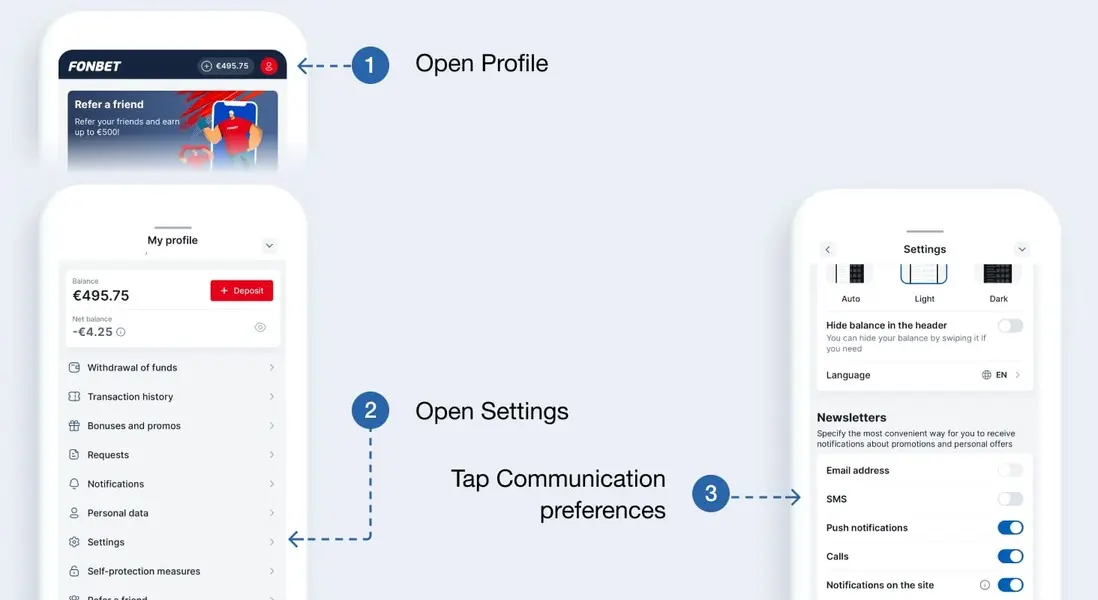
Open the Profile section in the upper right corner of the screen and go to settings
Desktop site
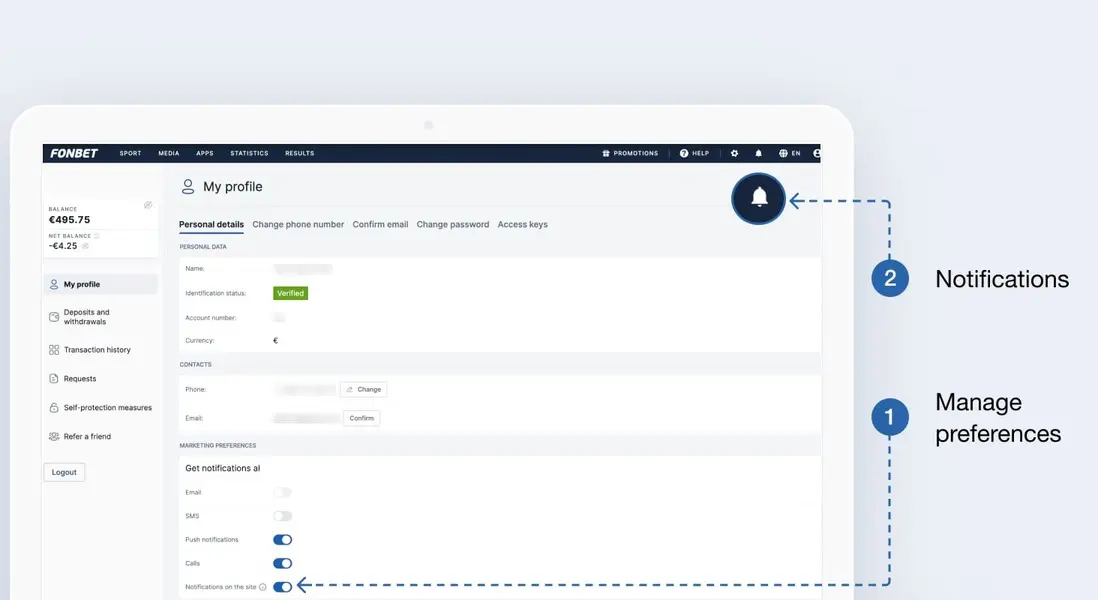
Open your Profile in the top right corner and go to Settings
To subscribe to the newsletter about promotions and personal offers, select your preferred messaging method:
- email;
- text message;
- push notifications;
- notifications on the site.
You can choose one, two, or all three methods if you like.
Your selection will be saved automatically after you click the button. Active subscriptions are highlighted in blue.
To unsubscribe, click the button again.
You can also control pop-up news about promotions. If you disable pop-ups, the information will only be visible in the Notifications section.
There's an unsubscribe button in each email
You can find it at the bottom of the email. Click this button to unsubscribe from future emails. A new window will open with a page confirming the cancellation of your email subscription. Click Confirm.