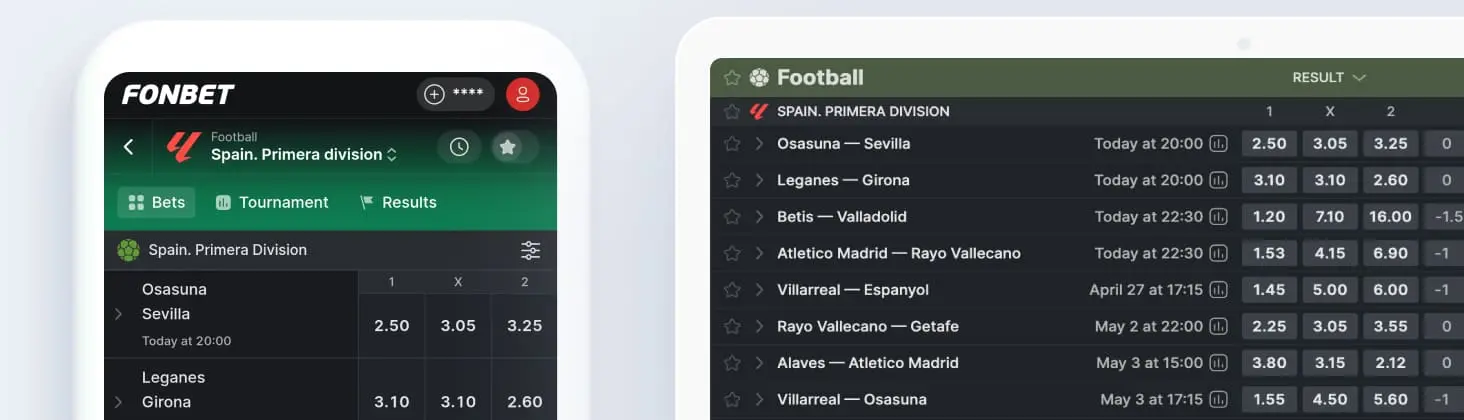
Fonbet helps you customise the theme of our website and app. You can choose a light or dark theme, or set the theme to change automatically based on your device theme.
Mobile site, App
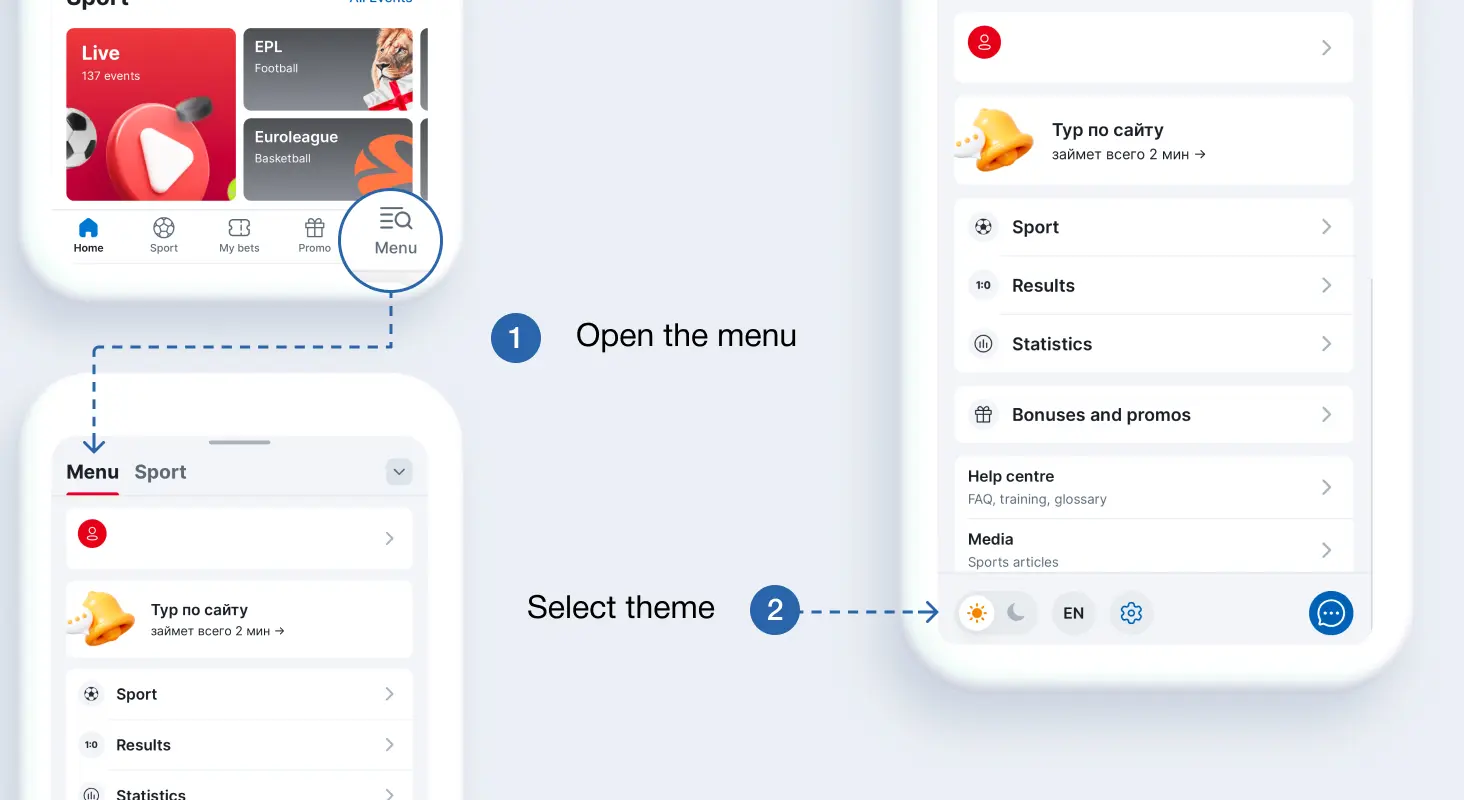
- Open the menu.
- At the bottom, select a theme.
Also available in Fonbet is automatic theme change depending on the settings of your device.
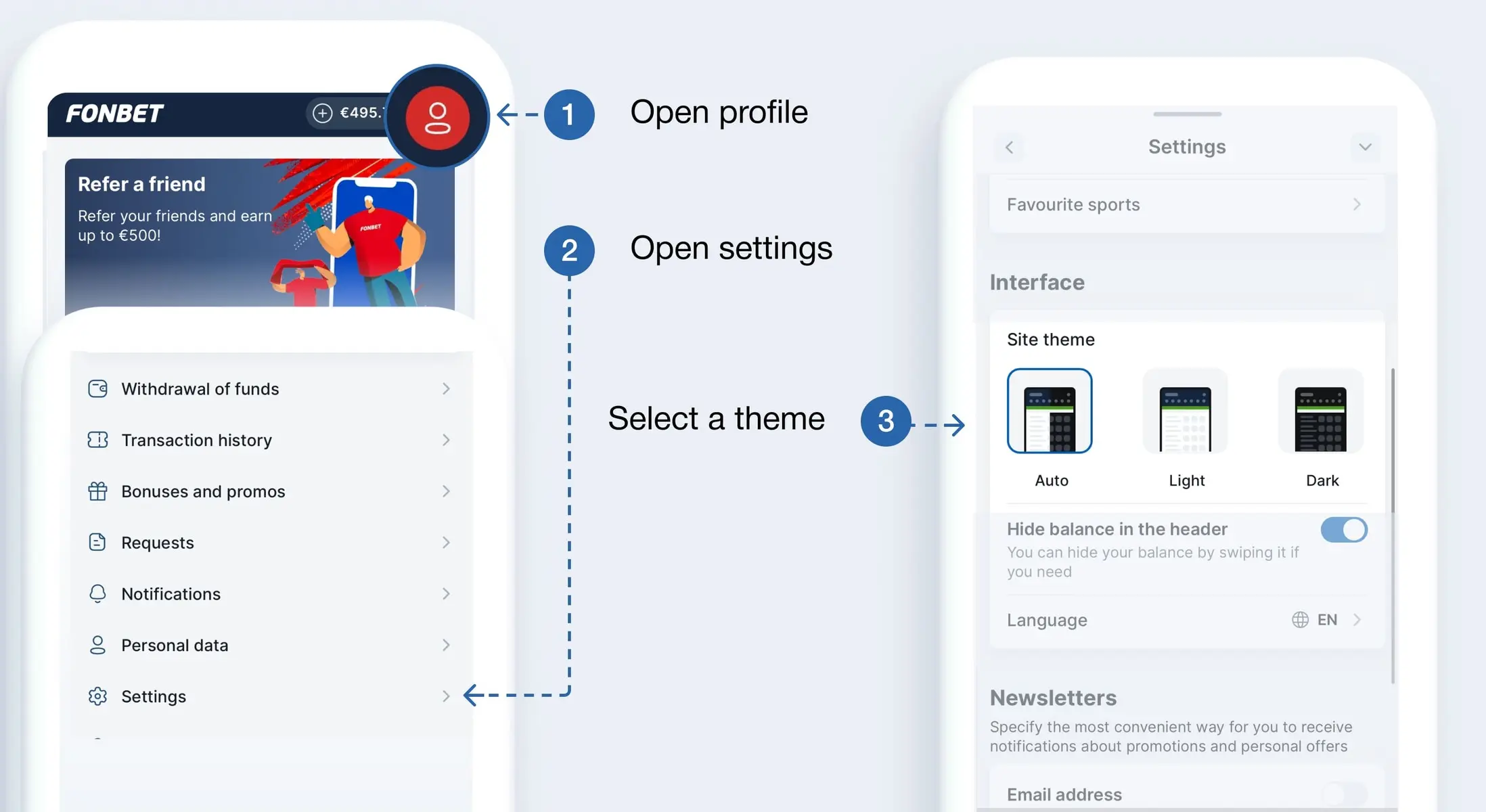
- Tap on the icon in the upper right corner of the screen to go to the My Profile section.
- Go to the settings.
- Find the Interface Settings section and select the option you want. The theme will change automatically.
Site
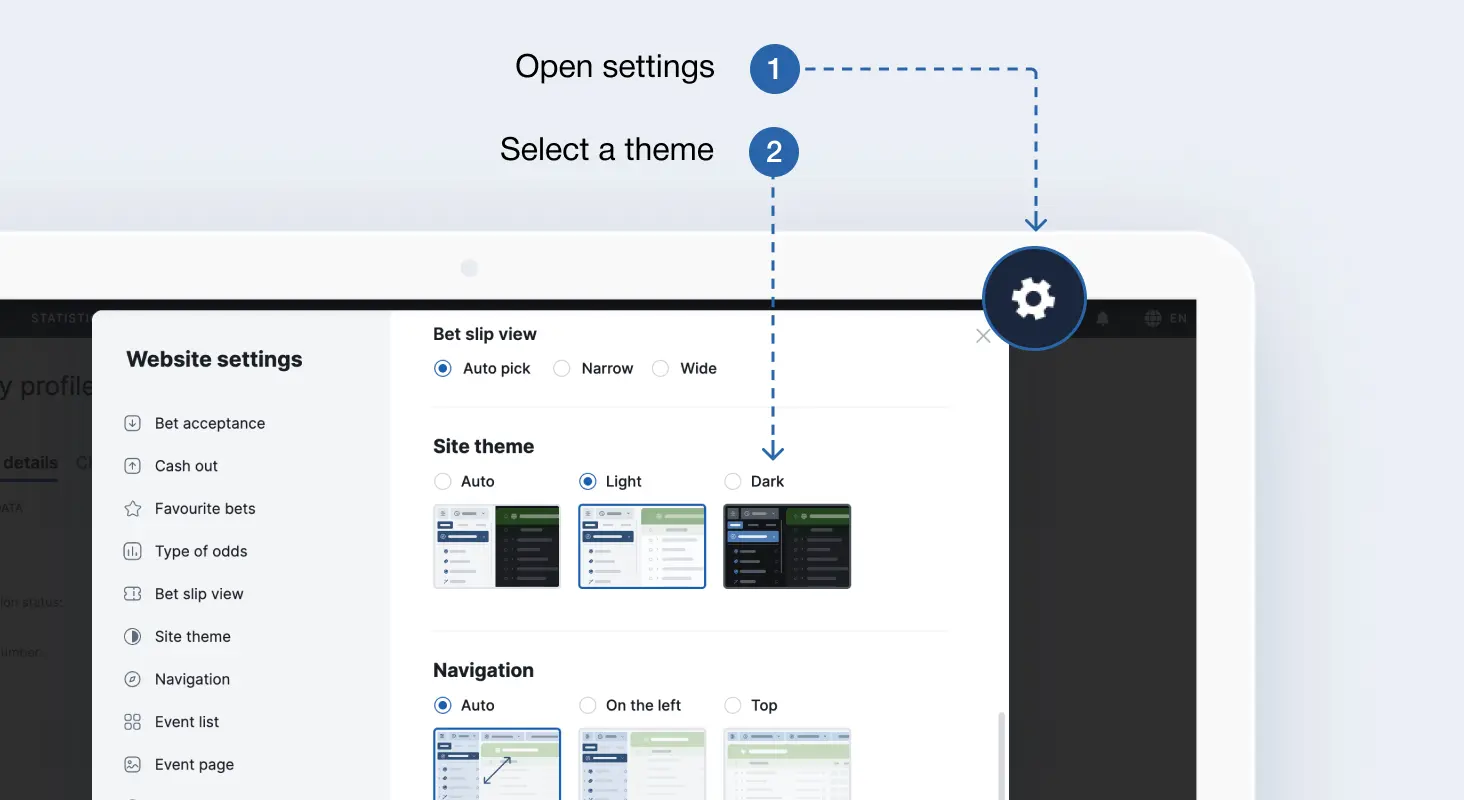
- Go to the settings by clicking the gear icon at the top right of the screen.
- Find the Site Theme section.
- Select the theme and it will change automatically.