
On the Fonbet website, you can customize the layout of
bet slip
Sports
Contents
Setting the event page type
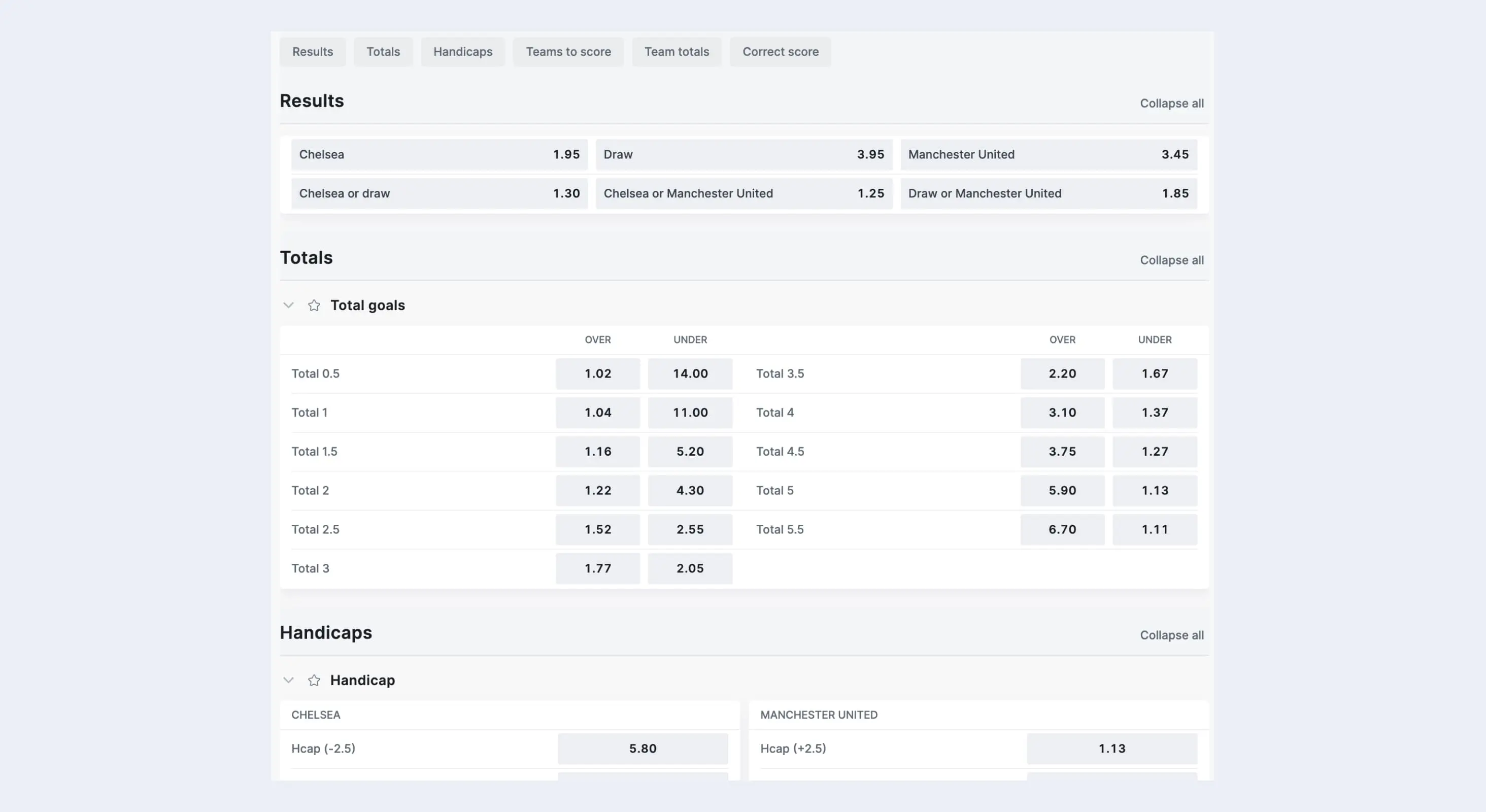
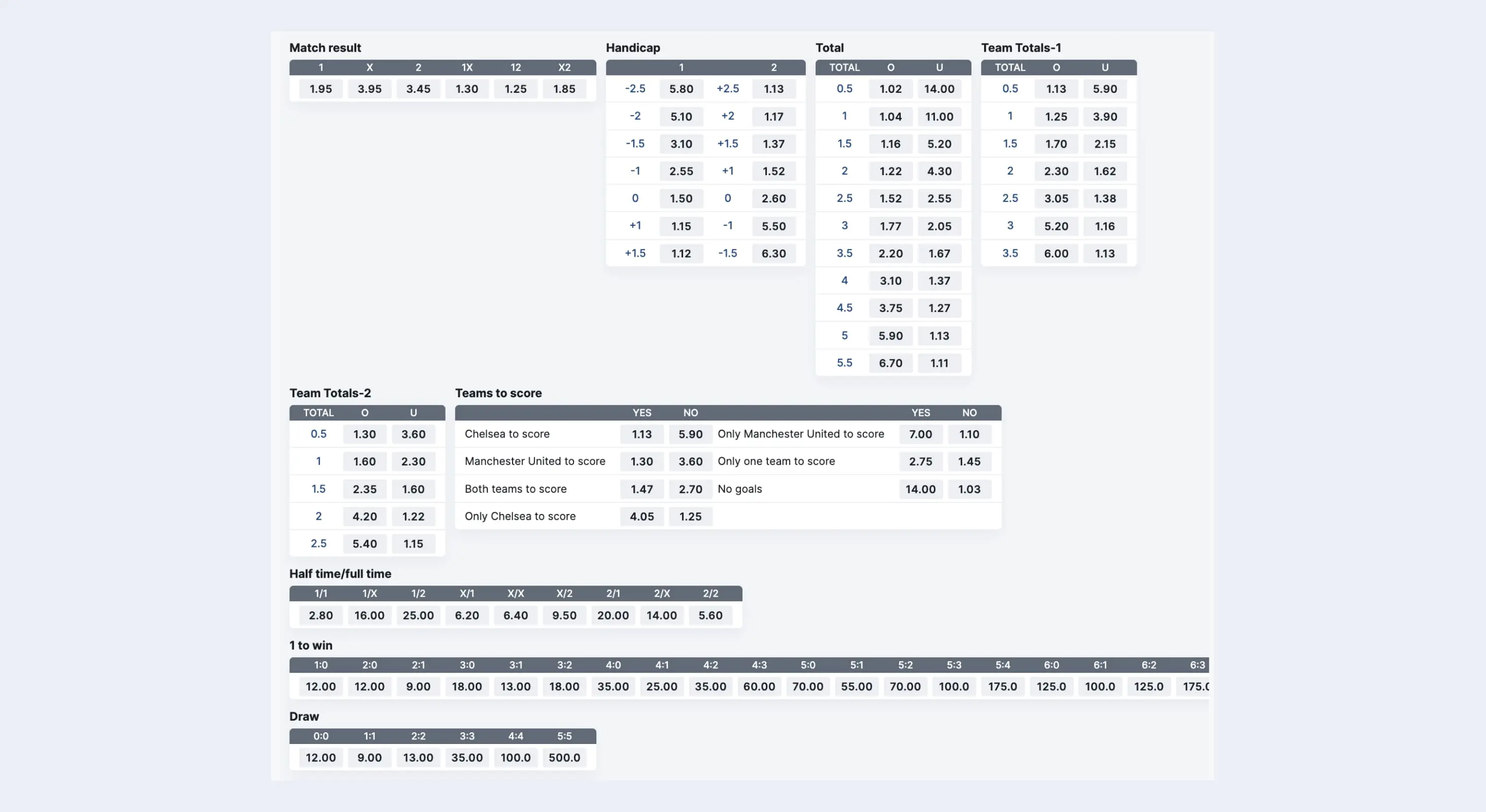
Odds on the event page have two display options: large and compact.
Large view
Odds take up a lot of space on the screen, so you can hide unnecessary types.
Compact view
More odds can fit on the screen, but you cannot hide unnecessary ones.
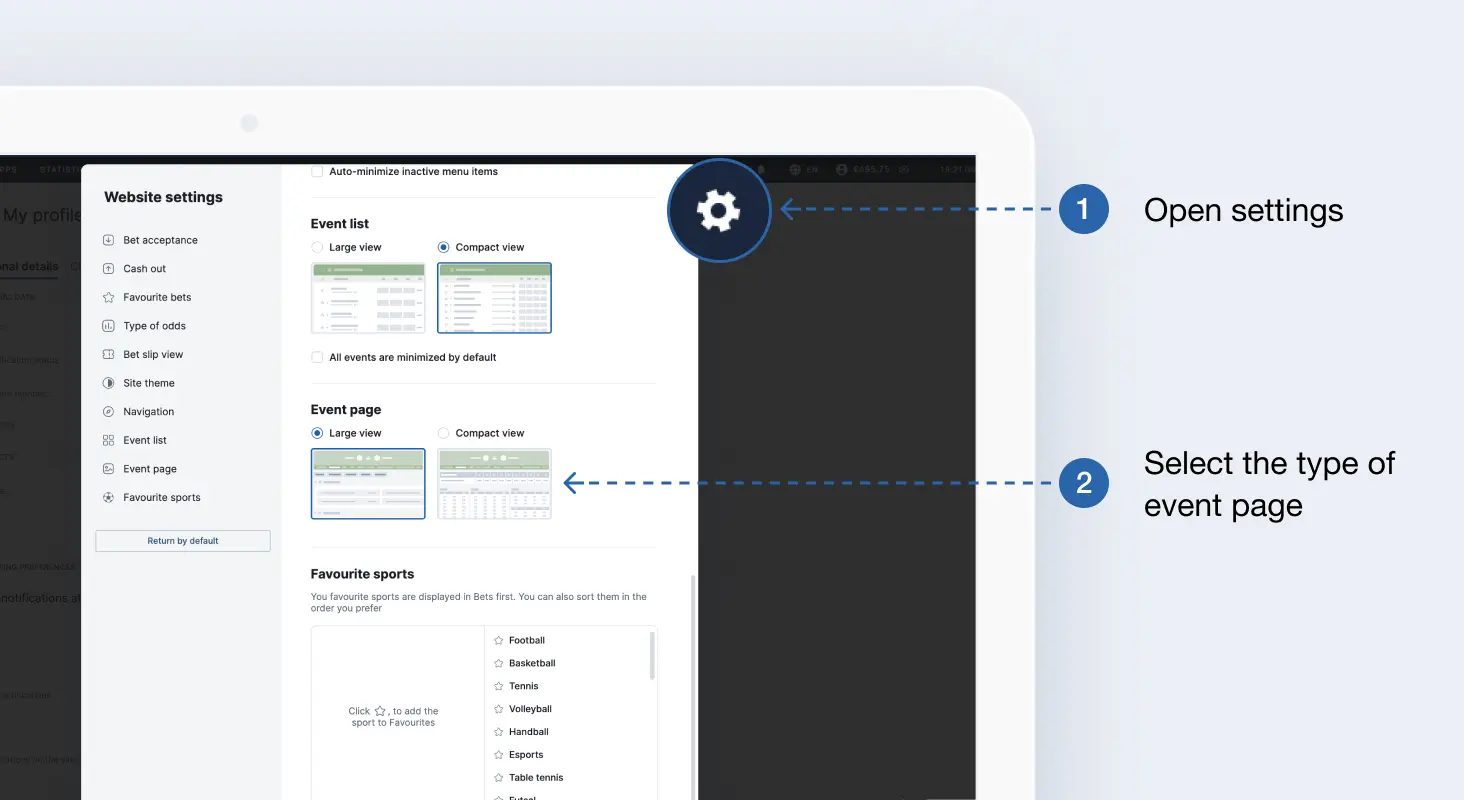
How to change event type?
- Open the site settings.
- Scroll through the list of settings and select the type.
Change the navigation layout
You have two types of navigation available by country and tournament: on the left or at the top. The left side view is best for users with large monitors. Navigation by sports will always be available, and you can toggle between them in one click.
However, if you have a smaller screen, it is better to enable the top view so you can see more events.
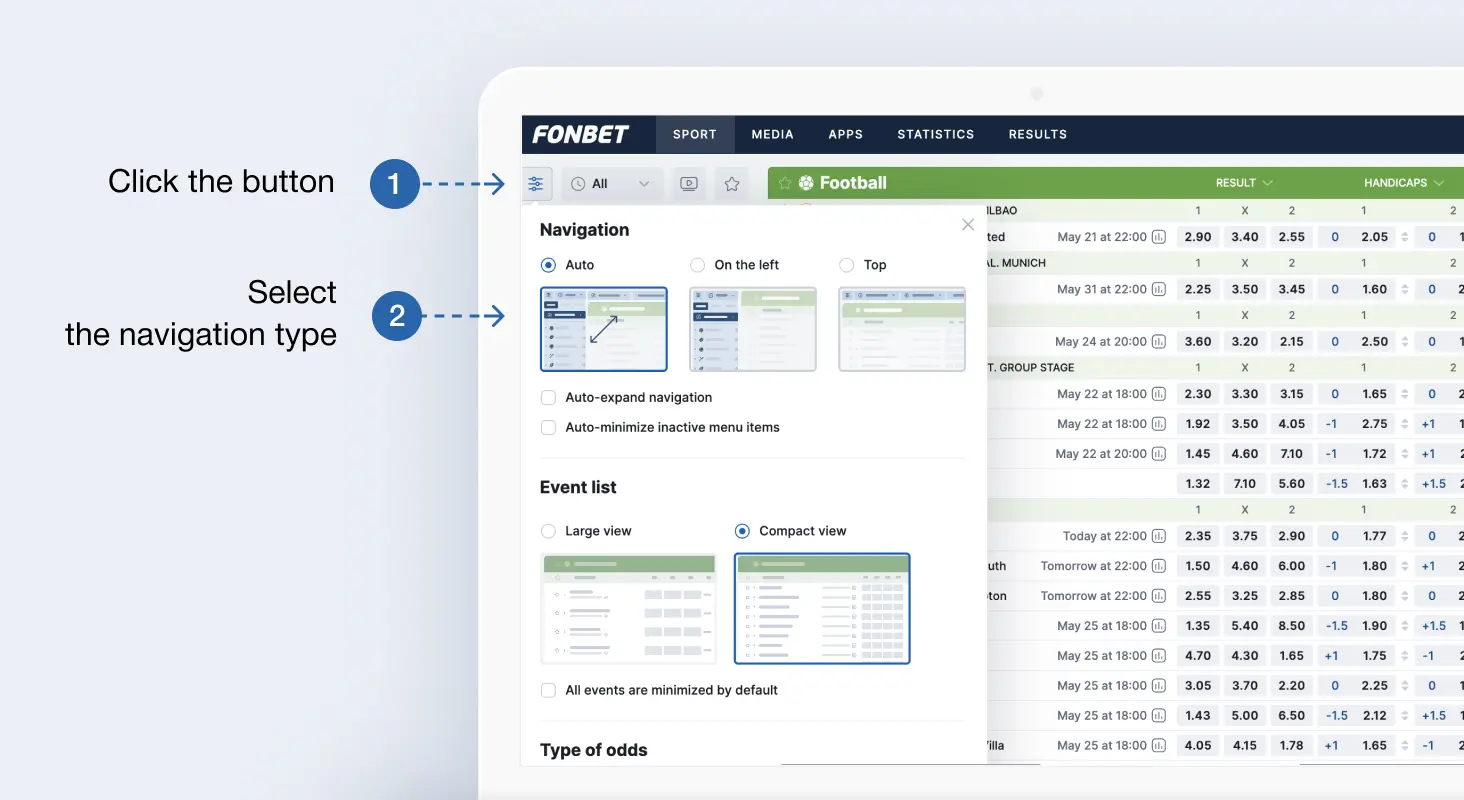
You can change the layout at any time
- Click the button with three stripes in the upper left corner of the Sports or Live section.
- In the Navigation section, select the Left or Top view.
Change the Sports layout
On small screens, the list of events may be too small. To increase the size of matches in Sports, enable Large View. You can always change back to the normal view.
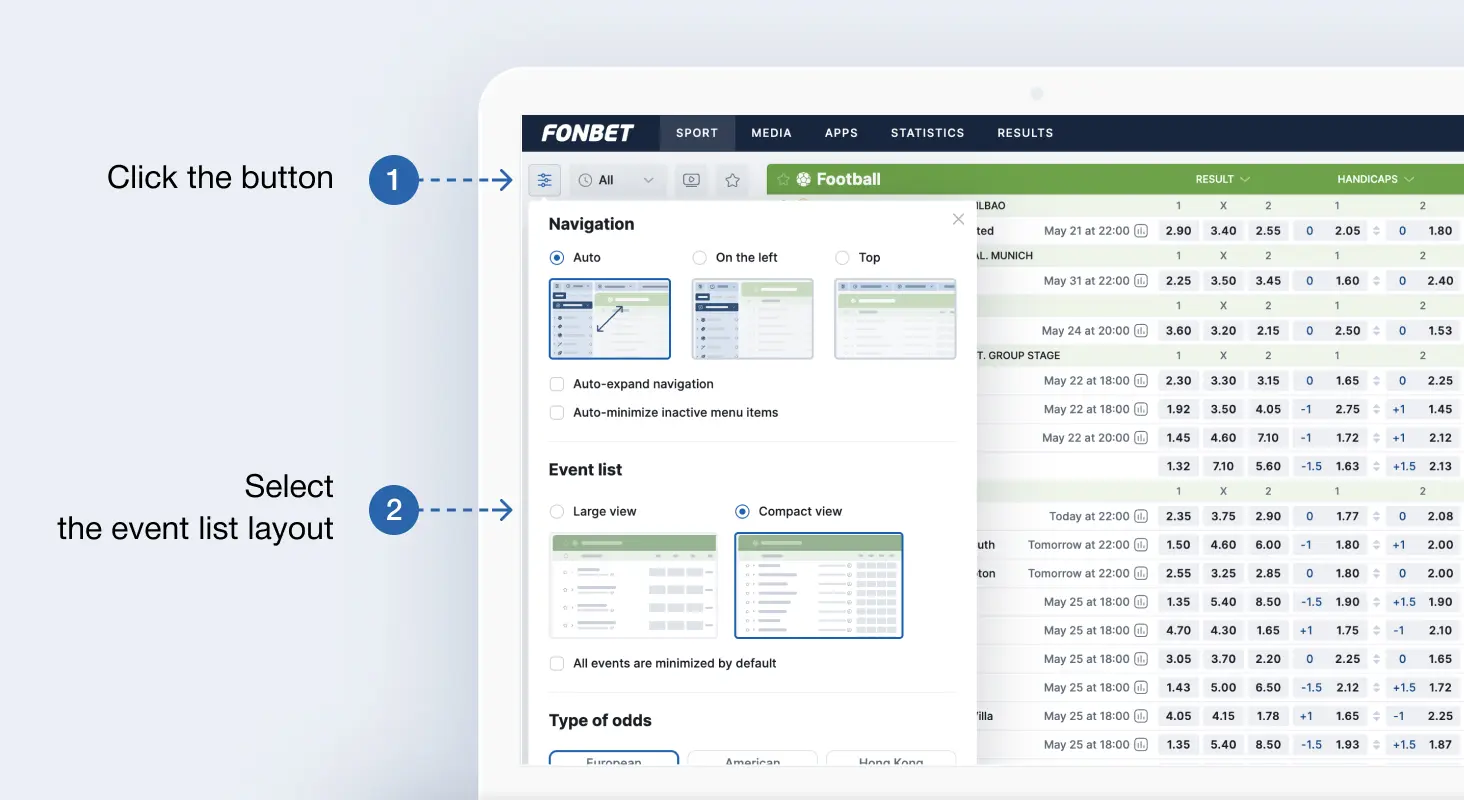
Large View increases the size of the lines of the event list
- Click the button with three stripes in the upper left corner of the Sports or Live section.
- In the Proposition Bet section, select Large View.
Hide bet types
If you don't like seeing betting options you'll never use, just collapse them. After you collapse them, all you'll see is the title instead of the bet list. The lists of selected bet types will stay collapsed on all event pages.
To collapse the list, click the down arrow button to the left of the odds list name.
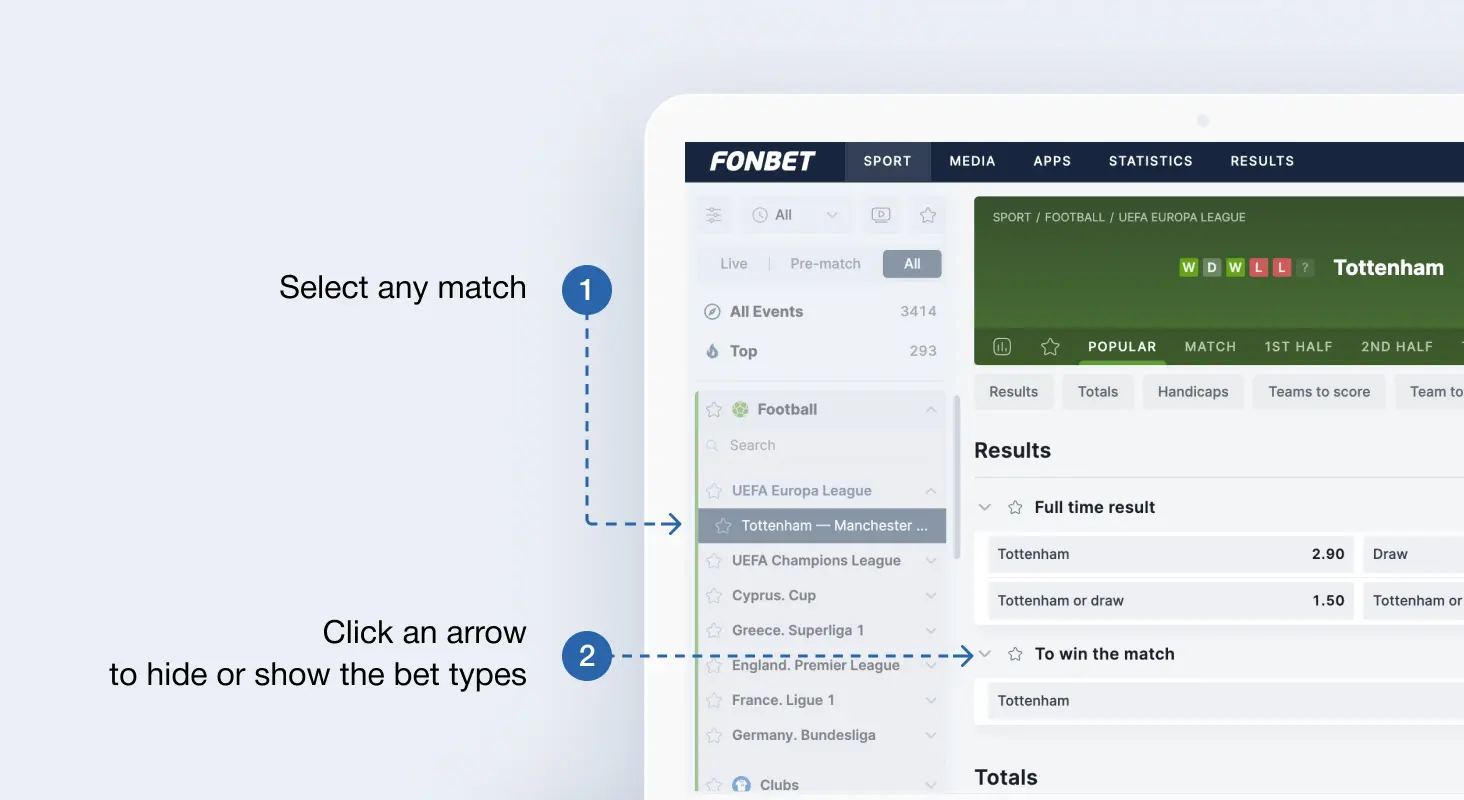
You can expand collapsed bet types later at any time
Add favourite sports
You can pick your favourite sports to display in Sports and Live above all the others.
How to pick favourite sports
- Go to the settings.
- Find the Favourite sport section.
- Click the star next to the type of sport.
If you select multiple sports, you can also set the order they're shown in by clicking and dragging them.