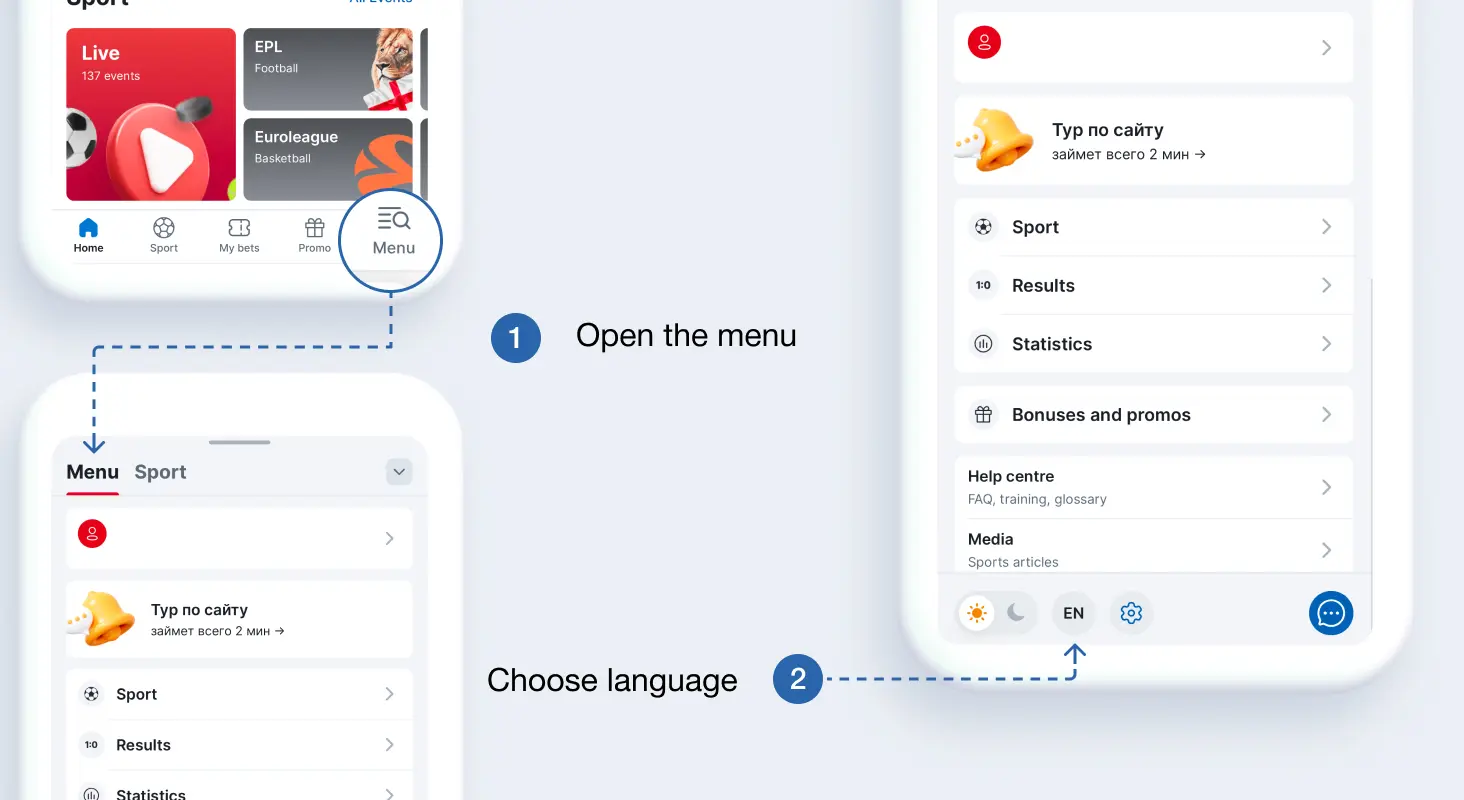
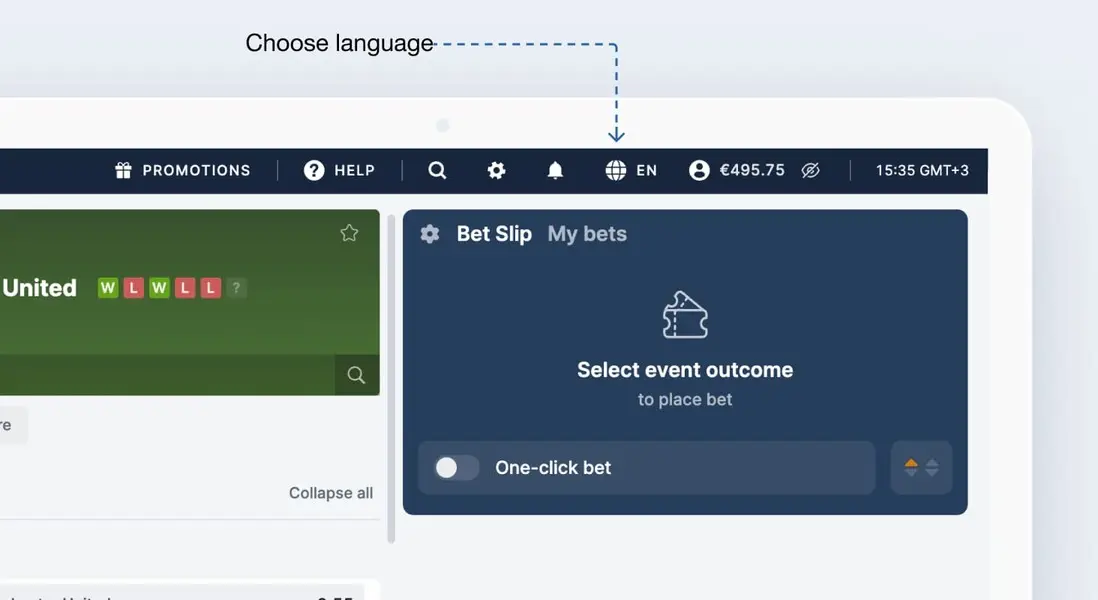
In the app, you can change the language in the settings, in the menu on the mobile site, and in the top panel on the desktop version.
Mobile site, App
- Open the menu.
- Choose language at the bottom.
Site
To change the language, click the flag icon in the upper right corner of the site